You are not logged in.
- Topics: Active | Unanswered
#1 2026-09-18 05:06:39
- mingleby
- Member
- Registered: 2026-09-18
- Posts: 3


How to tweak Thunar 4.20.2 close-tabs button colour?
Hi Guys,
Recently upgraded from xfce 4.18 to 4.20, which also upgraded Thunar from 4.18.2 to 4.20.2.
On my old 4.18 desktop I had the following code in my gtk.css file to tweak the colours of the Thunar tab-close buttons, to make them red in colour:
-----
/* Target the precise close icon class structure inside the active tab */
window.thunar notebook tab:checked button.flat image.close,
window.thunar notebook tab:checked button.flat .close {
background-color: transparent;
color: #ffffff;
-gtk-icon-palette: error #ff0000, symbolic #ffffff, success #ffffff;
-gtk-icon-shadow: none;
}
-----
This no longer works with Thunar 4.20.2.
Is there an alternative which will work with Thunar 4.20.2?
Cheers,
Mike.
Offline
#2 2026-09-18 09:51:23
- ToZ
- Administrator
- From: Canada
- Registered: 2011-06-02
- Posts: 12,704

Re: How to tweak Thunar 4.20.2 close-tabs button colour?
Hello and welcome.
It doesn't look like .close is a valid tag anymore. Try removing it:
/* Target the precise close icon class structure inside the active tab */
window.thunar notebook tab:checked button.flat image,
window.thunar notebook tab:checked button.flat {
    background-color: transparent;
    color: #ffffff;
    -gtk-icon-palette: error #ff0000, symbolic #ffffff, success #ffffff;
    -gtk-icon-shadow: none;
}
Mark solved threads as [SOLVED] to make it easier for others to find solutions.
--- How To Ask For Help | FAQ | Developer Wiki | Community | Contribute ---
Offline
#3 2026-09-18 13:40:16
- mingleby
- Member
- Registered: 2026-09-18
- Posts: 3
Re: How to tweak Thunar 4.20.2 close-tabs button colour?
Thanks for the reply... Appreciate the assistance...
I tried removing the ".close' tag.
Didn't quite work - the colour of the "X" inside the rounded square of the tab-close button turned to white, however the actual colour of the button-background was still 'transparent'.
I tried changing the background colour tag to red:
background-color: #ff0000;
This resulted in the active tab close-button being red, which is sort of getting there. Ideally I'd like all of the open tab buttons to be a duller/pale red and then change to a darker red upon mouse-over.
Is there a list of all of the various tags and parameters that I can browse through?
Cheers,
Mike.
Last edited by mingleby (2026-09-18 13:48:40)
Offline
#4 2026-09-18 14:35:45
- ToZ
- Administrator
- From: Canada
- Registered: 2011-06-02
- Posts: 12,704
Re: How to tweak Thunar 4.20.2 close-tabs button colour?
Is there a list of all of the various tags and parameters that I can browse through?
Unfortunately, not in a document. You can use the Gtk Inspector to see the widget tree and properties.
Whuch distro and what Gtk (Appearance) theme are you using? Maybe the theme is over-riding something?
Mark solved threads as [SOLVED] to make it easier for others to find solutions.
--- How To Ask For Help | FAQ | Developer Wiki | Community | Contribute ---
Offline
#5 2026-09-19 02:14:45
- mingleby
- Member
- Registered: 2026-09-18
- Posts: 3
Re: How to tweak Thunar 4.20.2 close-tabs button colour?
Thanks again for the reply...
I'm running Linux Mint xfce 22.3 (Ubuntu 24.04-based) with xfce upgraded from 4.18 to 4.20.
I have the 'Style' set to Adwaita, 'Icons' to Windows-eleven (I know, forgive me!) and Window Manager 'Theme' set to Windows10Blue.
It was all working fine under xfce 4.18, so there's a fundamental differnce between the two that's ignoring the gtk.css commands?
Cheers,
Mike.
Offline
#6 2026-09-19 03:07:48
- ToZ
- Administrator
- From: Canada
- Registered: 2011-06-02
- Posts: 12,704
Re: How to tweak Thunar 4.20.2 close-tabs button colour?
Unfortunately I can't test that configuration. However, in thunar 4.20.10 (I trimmed down the snippet), this is what I see:

Is it possible that something else is corrupted in your gtk.css file and causing the glitch? Can you try with an empty gtk.css and just this snippet? (Note: you need to quit thunar and restart via "thunar -q; thunar").
Mark solved threads as [SOLVED] to make it easier for others to find solutions.
--- How To Ask For Help | FAQ | Developer Wiki | Community | Contribute ---
Offline
#7 2026-09-19 05:52:36
- JmaCWQ
- Member
- Registered: 2022-12-06
- Posts: 87

Re: How to tweak Thunar 4.20.2 close-tabs button colour?
I had similar issue to this a while ago with regards to the buttons, I ended up solving it by making a copy of the Window Manager theme I preferred and edited it to suit, naming it differently to the original in the theme's index.theme file.
I changed the .xpm images used for the buttons in the theme's xfwm4 folder to my own.
So far it's survived a few Thunar/GTK releases without issue, wish I could say the same for my desired custom theme 
Buttons Active:

Buttons Inactive:

Button Pressed:
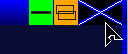
Prelight:

Last edited by JmaCWQ (2026-09-19 05:53:12)
Offline
- Registered users online in this topic: 0, guests: 1
- [Bot] ClaudeBot
[ Generated in 0.016 seconds, 8 queries executed - Memory usage: 573.33 KiB (Peak: 590.3 KiB) ]