You are not logged in.
- Topics: Active | Unanswered
#1 2026-04-01 18:12:50
- IpreferXfce
- Member
- Registered: 2016-02-25
- Posts: 81


[Solved] Missing Simple Screen Recorder Icon on Status Tray Plugin
Up Date 04/02/2026 at 8:53 Am
I figured out that the reason why my Simple Screen Recorder Icon was no showing up on the Status Tray Plugin is because I needed to change the icon theme in my Qt5 Configuration Tool. The printer Icon problem is a different problem.
My Old Post
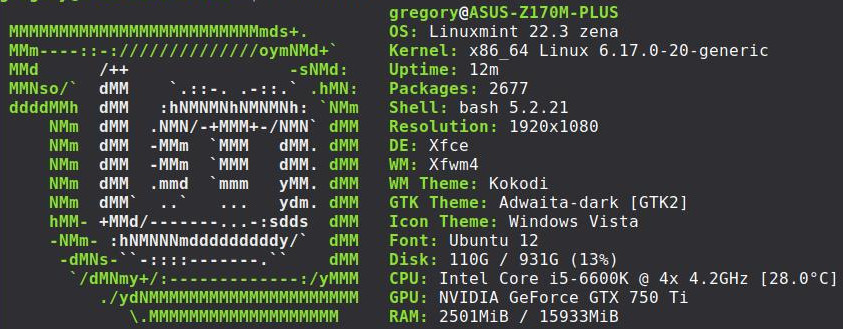
Linux Mint 22.3 XFCE.
I am having trouble with missing icons on Status Tray Plugin.
I have Linux Mint 22.3 XFCE installed on two different computers, and one of the computers it is working fine, and the other one it is not.
The first issue I noticed was when my Brother Printer is Printing there is no Icon showing the printer. Just a blank space. (I wrote about that here before I was never able to solve it) Then I noticed it with Simple Screen Recorder. Same problem. Just a blank space. But psensor is showing up, and so is bluetooth.
I wanted to show you some screenshots, but I am a member of two free picture hosting sites, and neither one is working for me right now. 
But I wrote a post on the Linux Mint forums too. They have my screenshots.
https://forums.linuxmint.com/viewtopic.php?t=466689
I just really hope that someone will have an answer for why I am having this trouble. Because this OS has not been on this computer for very long. I got everything working the way I want too, and I don't want to wipe it all off and start all over just cause this plugin isn't doing something right.
I got the screenshots working now.
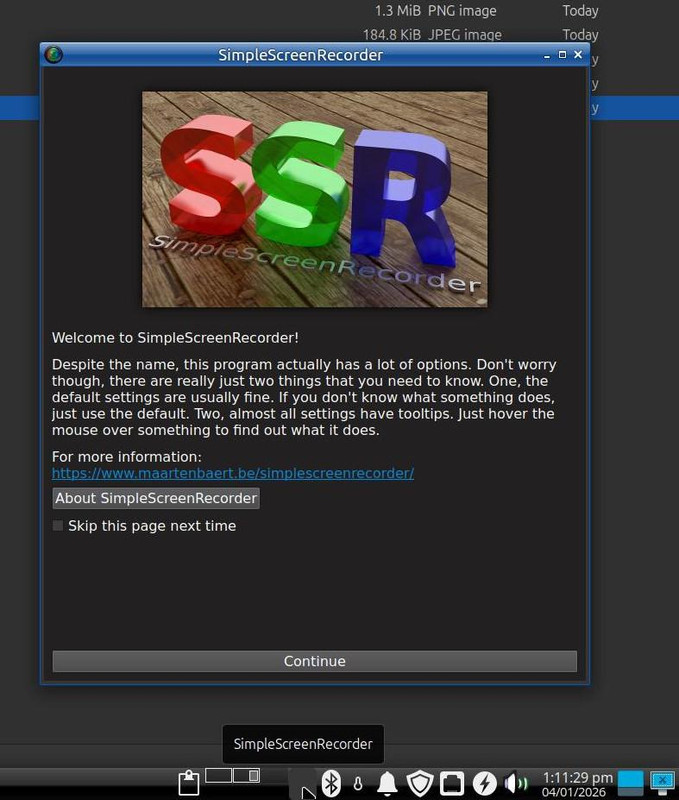
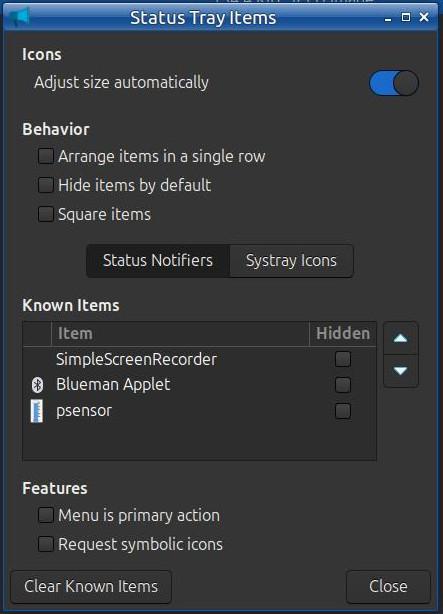
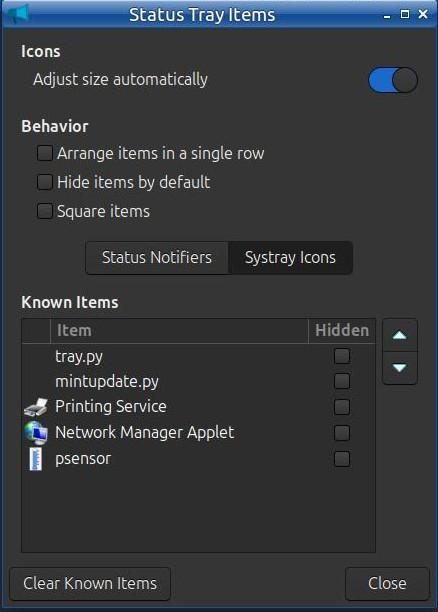
Last edited by IpreferXfce (2026-04-02 12:56:41)
Offline
#2 2026-04-01 19:43:54
- ToZ
- Administrator
- From: Canada
- Registered: 2011-06-02
- Posts: 12,723

Re: [Solved] Missing Simple Screen Recorder Icon on Status Tray Plugin
I provided an answer to your previous question that worked for me on Mint 22.3 with the default mint theme:

Are you using a different GTK (Appearance) theme? If so, which one. Also, what is the height value of your panel?
Mark solved threads as [SOLVED] to make it easier for others to find solutions.
--- How To Ask For Help | FAQ | Developer Wiki | Community | Contribute ---
Offline
#3 2026-04-01 22:04:33
- IpreferXfce
- Member
- Registered: 2016-02-25
- Posts: 81

Re: [Solved] Missing Simple Screen Recorder Icon on Status Tray Plugin
I provided an answer to your previous question that worked for me on Mint 22.3 with the default mint theme:
Are you using a different GTK (Appearance) theme? If so, which one. Also, what is the height value of your panel?
I saw what you said, and I tried that already. The theme I am using is one that I have used for years and never had a trouble with it. Also I tried changing themes and icon themes and that didn't help either.
Added later 11 min 09 s:
You asked about my panel size.
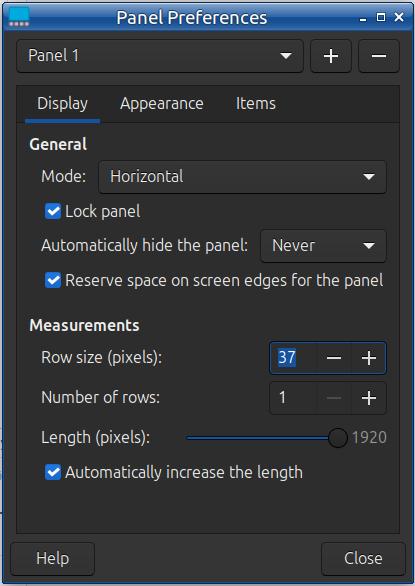
Added later 13 h 26 min 26 s:
I tried creating a new user, and logging into that one. The problem is there too.
Offline
#4 2026-04-02 16:18:55
- ToZ
- Administrator
- From: Canada
- Registered: 2011-06-02
- Posts: 12,723
Re: [Solved] Missing Simple Screen Recorder Icon on Status Tray Plugin
You marked this thread solved. Is it the issue really solved?
Mark solved threads as [SOLVED] to make it easier for others to find solutions.
--- How To Ask For Help | FAQ | Developer Wiki | Community | Contribute ---
Offline
#5 2026-04-02 17:39:30
- IpreferXfce
- Member
- Registered: 2016-02-25
- Posts: 81
Re: [Solved] Missing Simple Screen Recorder Icon on Status Tray Plugin
You marked this thread solved. Is it the issue really solved?
Yes for the Simple Screen Recorder Icon.
No for the printer icon. I think the brother printer driver install script is weird, and since I see this issue on two Linux Mint 22.3 xfce systems, I don't think this problem can be solved by me.
You are using a picture hosting site that is blocked by either my computer's hosts file or cleanbrowsing DNS. I don't know which.
Last edited by IpreferXfce (2026-04-02 17:44:30)
Offline
- Registered users online in this topic: 0, guests: 1
- [Bot] ClaudeBot
[ Generated in 0.024 seconds, 7 queries executed - Memory usage: 567.08 KiB (Peak: 568.03 KiB) ]